When you create a course in Courseau, you have the flexibility to choose how much AI influence you want in the final output. Whether you need a carbon copy of a PDF or a complete pedagogical overhaul, our three conversion modes have you covered.
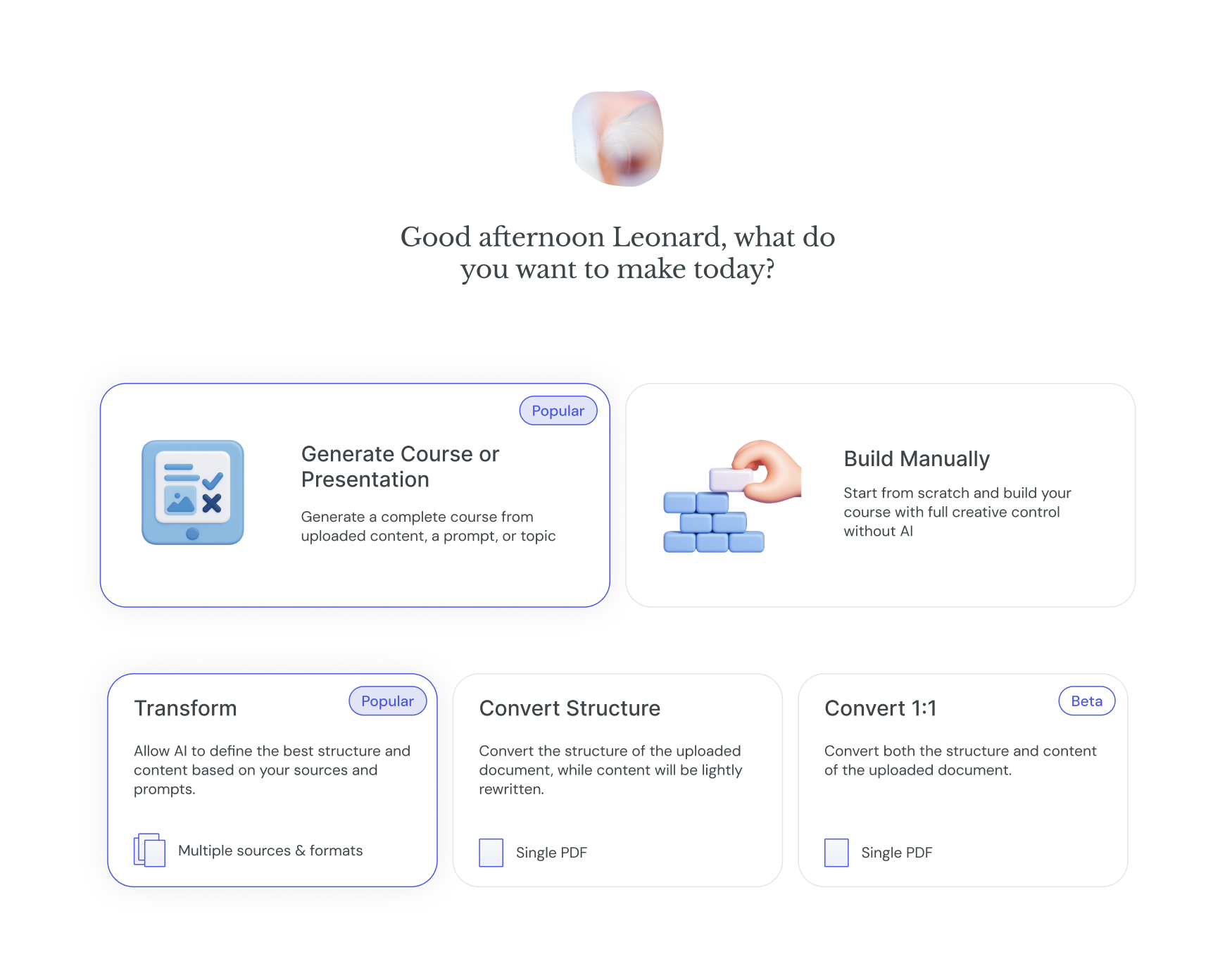
After you upload your source material, you will be prompted to select a conversion mode. Each mode is designed for a specific use case:
This is the original Courseau experience. The system takes your sources and uses AI to augment and expand them into a comprehensive course.
Best for: Turning raw notes, videos, documents etc into a full-scale educational experience.
AI Input: High. The system uses your sources as the "ground truth" but builds a structured, optimized course around them.
This mode keeps the "skeleton" of your document intact but allows the AI to refine the "meat" of the content.
Best for: When you like your document's organization but want the text to be more engaging for learners.
AI Input: Moderate. It retains your original outline and headings while slightly rewriting the content from a pedagogical angle to improve learning outcomes.
This mode is designed for high-fidelity conversion. It retains both the structure and content of your PDF as closely as possible.
Best for: Turning existing documents into interactive, SCORM-ready courses without changing the wording.
AI Input: None. The system acts as a bridge to digitize your content rather than an editor.
Status: Currently in Beta. Performance may vary as we continue to refine the output.
When to use 1:1: Use this for compliance training or technical manuals where the exact phrasing is legally or operationally required.
Give Feedback: Since Convert 1:1 is in Beta, we love hearing your thoughts! If the output doesn't look quite right, let us know via the in-app chat.
Mix and Match: If you aren't happy with one result, you can always try creating the course again using a different mode to see which fits your specific source material best.
