A ranking quiz asks learners to drag items into the correct sequence. Use ranking quizzes to test whether learners can put steps, events, or values in the right order.

Ranking quizzes work in both lessons and exams. There are no limits on the number of items you can add.
A ranking quiz displays a list of items in a shuffled order. Learners drag each item up or down to put them in the correct sequence.
The order of items is shuffled each time a learner opens the quiz. This prevents learners from memorizing positions.
Scoring is exact match. Every item must be in its correct position to pass. If any item is out of order, the quiz is marked as incorrect.
If you add an explanation, it displays after submission. Learners who answer correctly see the explanation in a green box. Learners who answer incorrectly see it in a red box, with the option to try again.
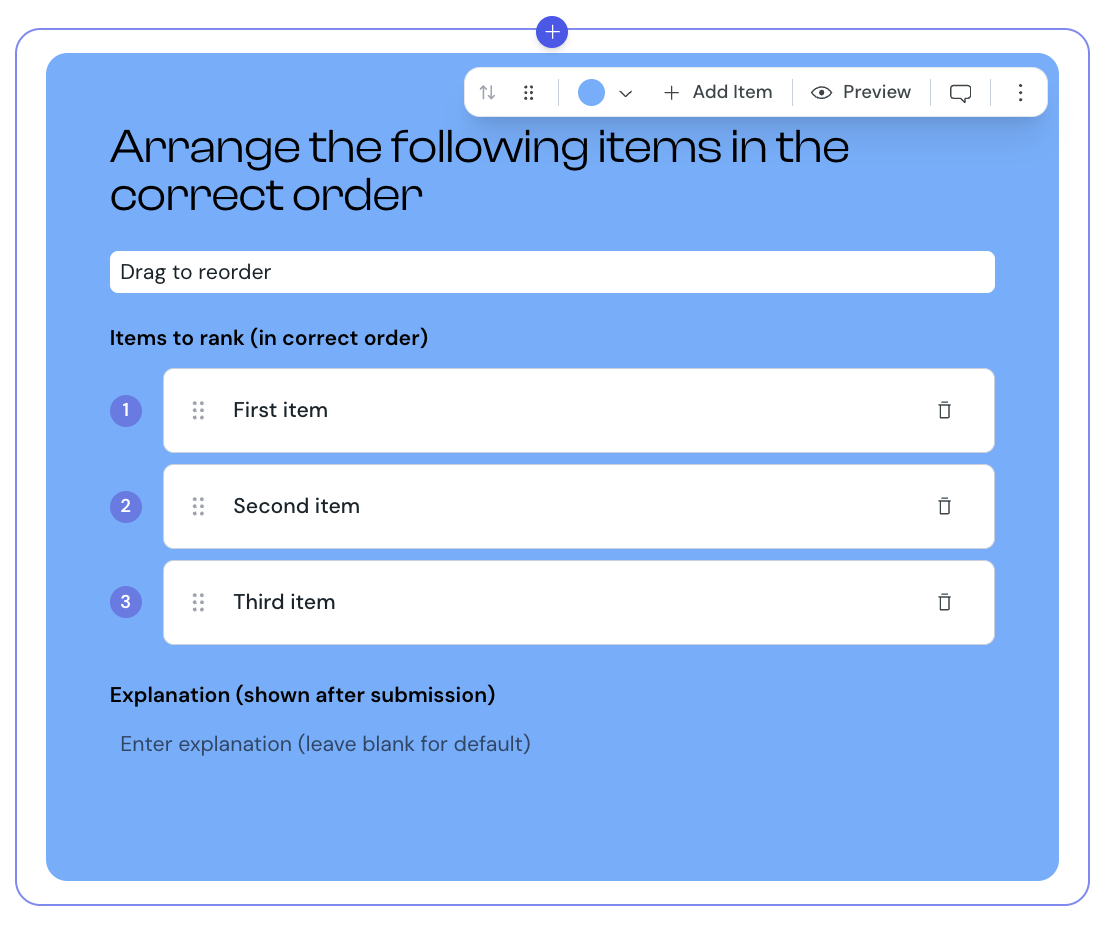
1. Select Ranking from the element list to add it to your lesson.
2. Hover over the ranking component and select Edit.
3. Enter your question in the question field. You can use rich text formatting.
4. Optionally, add instruction text to guide learners on how to order the items.
5. Enter each item in the order you want it ranked. The first item you add becomes position 1, the next is position 2, and so on.
6. To add more items, select Add item.
7. Optionally, add an explanation to display after learners submit their answers.
8. Select Preview to check how the quiz appears to learners.
You can change the background color of the ranking quiz to match your course design.
1. Select the ranking component in the editor.
2. Use the color picker to select a new color.
Ranking is one of the question types you can include when you create an exam. When used in an exam:
learners' answers save automatically as they reorder items
feedback and explanations display only after the exam is finished
each ranking question is worth 1 point if every item is in the correct position, and 0 points if any item is out of order
learners cannot change their answers after the exam is complete
The exam score is calculated as a percentage of correctly answered questions. The pass or fail result depends on the minimum score set for the exam.
Use three to six items. Lists shorter than three are too easy and lists longer than six are slow to drag
Make sure only one ordering is correct. If two items are equally valid in either position, learners will be marked incorrect unfairly
Use ranking for things with a natural order: steps in a process, chronological events, or values from smallest to largest
Keep item text short so learners can read each item while dragging
