
Select Matching from the element list.
Hover over the component and select Edit.
Enter the question to guide your learners.
Edit and add as many responses and answers as you need.
Add instructions and an explanation to help your learners understand the exercise.
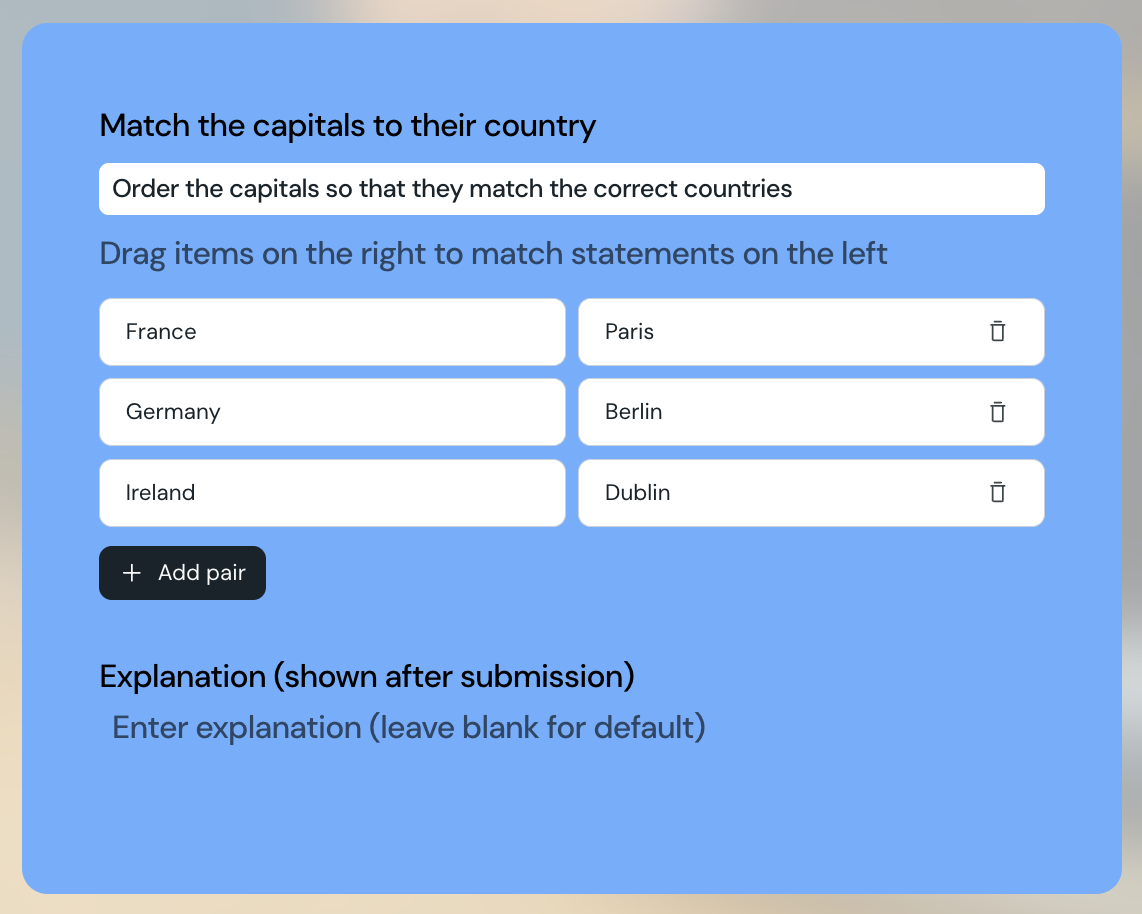
When creating a matching element, admins can set up the question, instructions, as many prompts and answers as required, and the explanation that appears once the learner has submitted their answer.
Courseau automatically randomizes the order of the prompts and answers for your learners.
The background color of the matching element uses the secondary color from your theme.
Learners must match all responses correctly in order to pass the question. Learners do not receive a partial score if only some responses are correct.
The explanation you set up will be shown to learners both if they pass or fail.
Depending on where you use the matching element, feedback will be shown to learners differently:
For standalone quiz items: responses that are correct are shown to the learner on submission, regardless of how many they got correct overall.
For exams: the correct matching responses will not be shown to learners.
