
Adding topics: Type a topic in the input field and press Enter or type a comma to create a pill. You can also select any of the AI-suggested topic buttons above the input to add them directly.
Editing topics: Select any existing topic pill to enter inline edit mode. Press Enter to confirm your change, or Escape to cancel. Commas are automatically stripped from edits to keep topics separate.
Removing topics: Select the ✕ button on the right side of any pill to remove it. You can also press Backspace when the input field is empty to remove the last topic.

You can add up to 5 topics per course. Once the limit is reached, the input field is hidden and a message explains: "You've reached the 5 topic limit. For the best learner experience, we recommend keeping each course focused. Create additional courses to cover more topics." The AI-suggested topic buttons are also disabled when the limit is reached.
If you try to add a topic that already exists (case-insensitive), it will be silently ignored. This duplicate prevention also applies when editing — you cannot rename a topic to match an existing one.
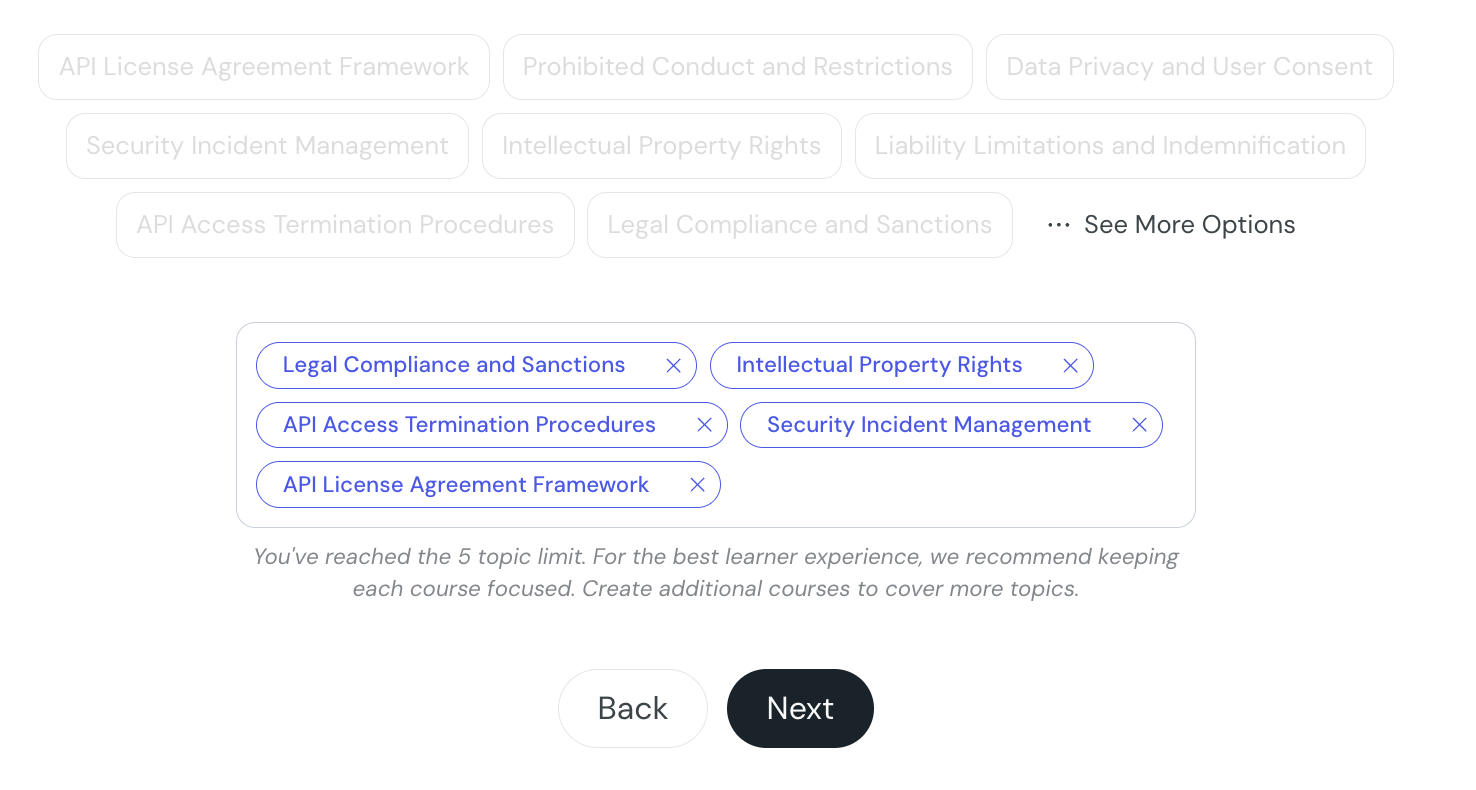
This feature appears in the step of the course creation wizard, directly below the AI-suggested topics. If you've uploaded sources, CreateUpon will extract and suggest topics automatically, selecting a suggestion adds it directly as a pill.
